
Your KaChick AI Assistant works even better when connected to the tools you already use. By linking Google Calendar and Instagram, you can provide a smoother experience for potential clients while keeping track of enquiries in one place.
In this guide, we'll walk you through connecting both integrations in just a few minutes.
Why Connect Google Calendar and Instagram?
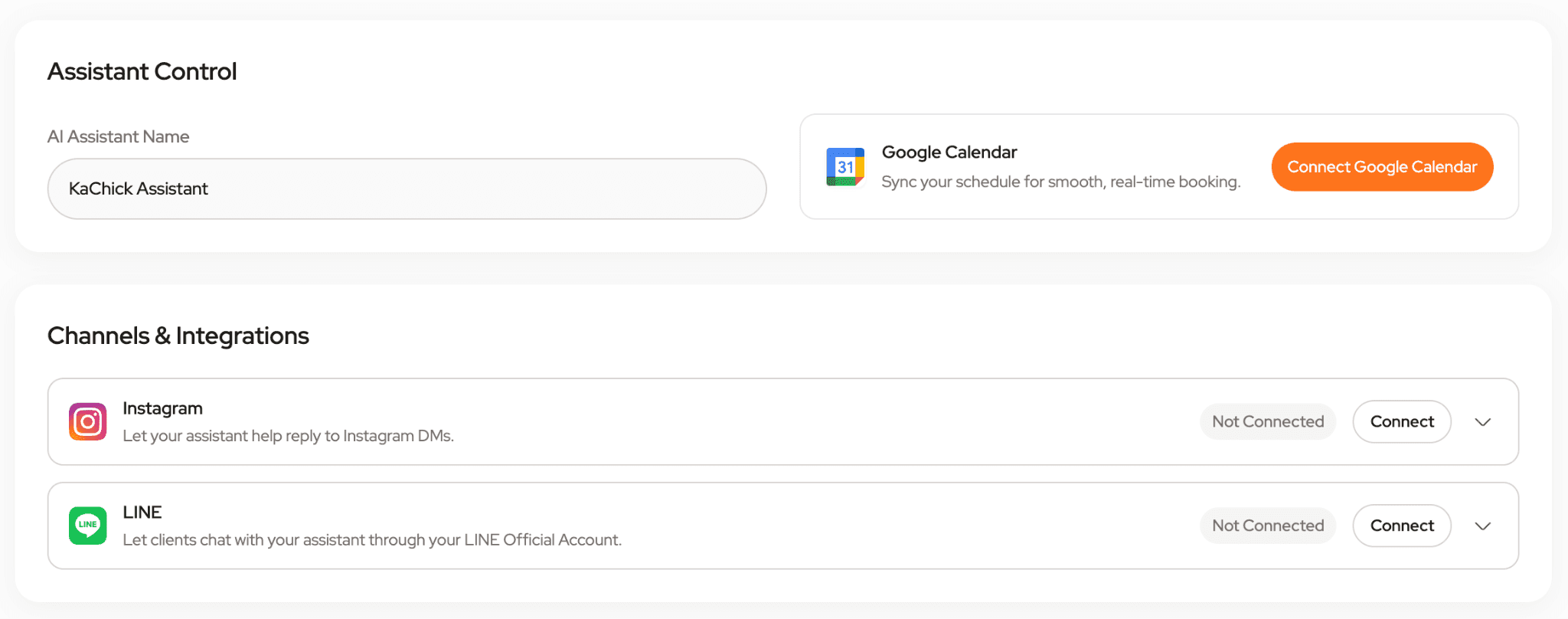
Connecting your accounts helps your AI Assistant stay connected to your business.
With Google Calendar connected, your assistant can help check your availability and provide more accurate scheduling information when clients enquire about booking.
With Instagram connected, you can receive and manage enquiries more efficiently while keeping conversation records organized inside your KaChick Dashboard.
The setup only takes a few clicks and can be completed directly from the My Assistant page.
Connect Google Calendar
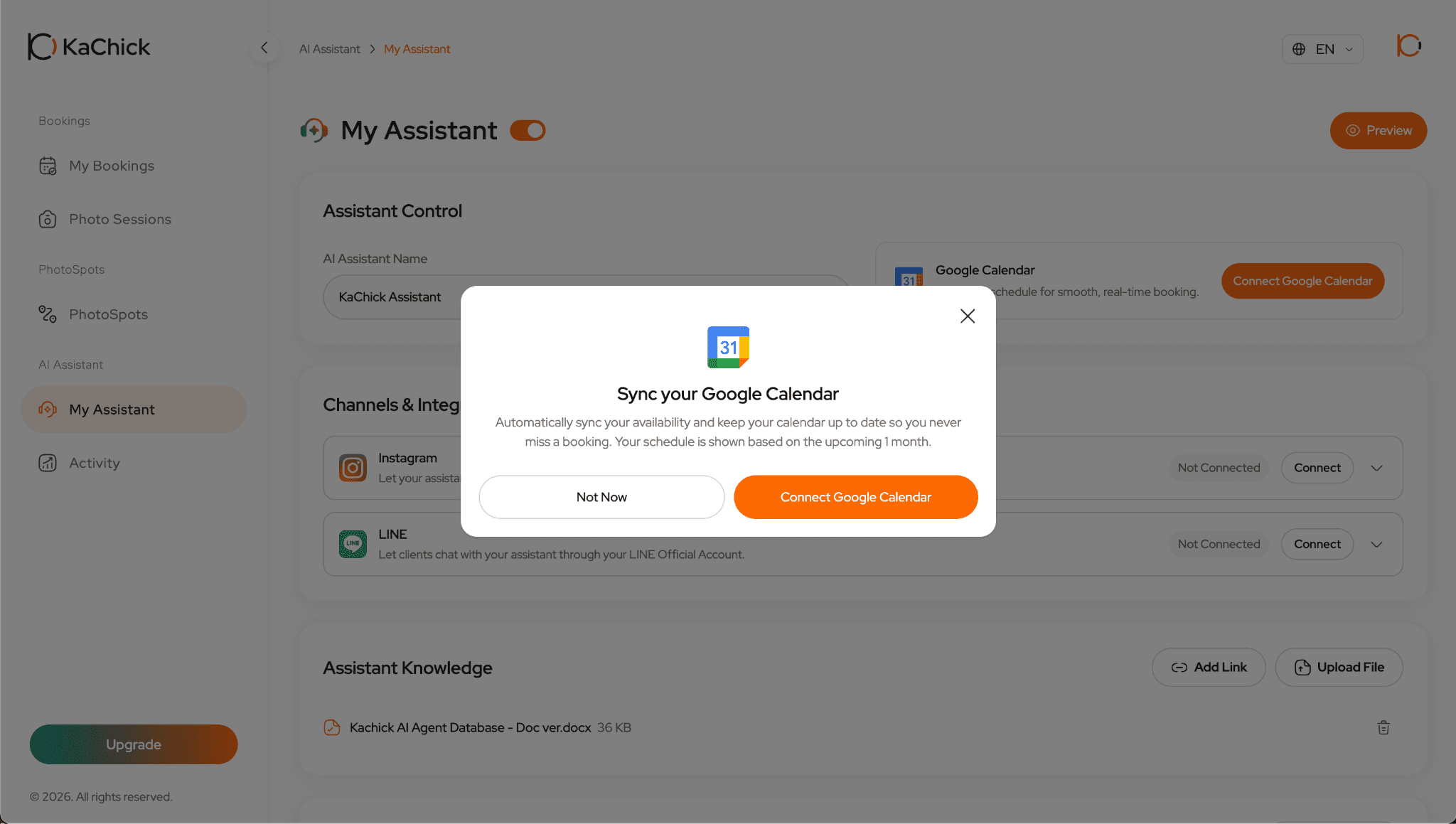
Step 1: Open My Assistant
Log in to your KaChick Dashboard and navigate to My Assistant.
Step 2: Connect Google Calendar
Locate the Google Calendar integration section and click Connect Google Calendar.
Step 3: Select Your Google Account
Choose the Google account you would like to connect and authorize access when prompted.
Once authorization is complete, your Google Calendar will be synced with your KaChick AI Assistant.
Connect Instagram
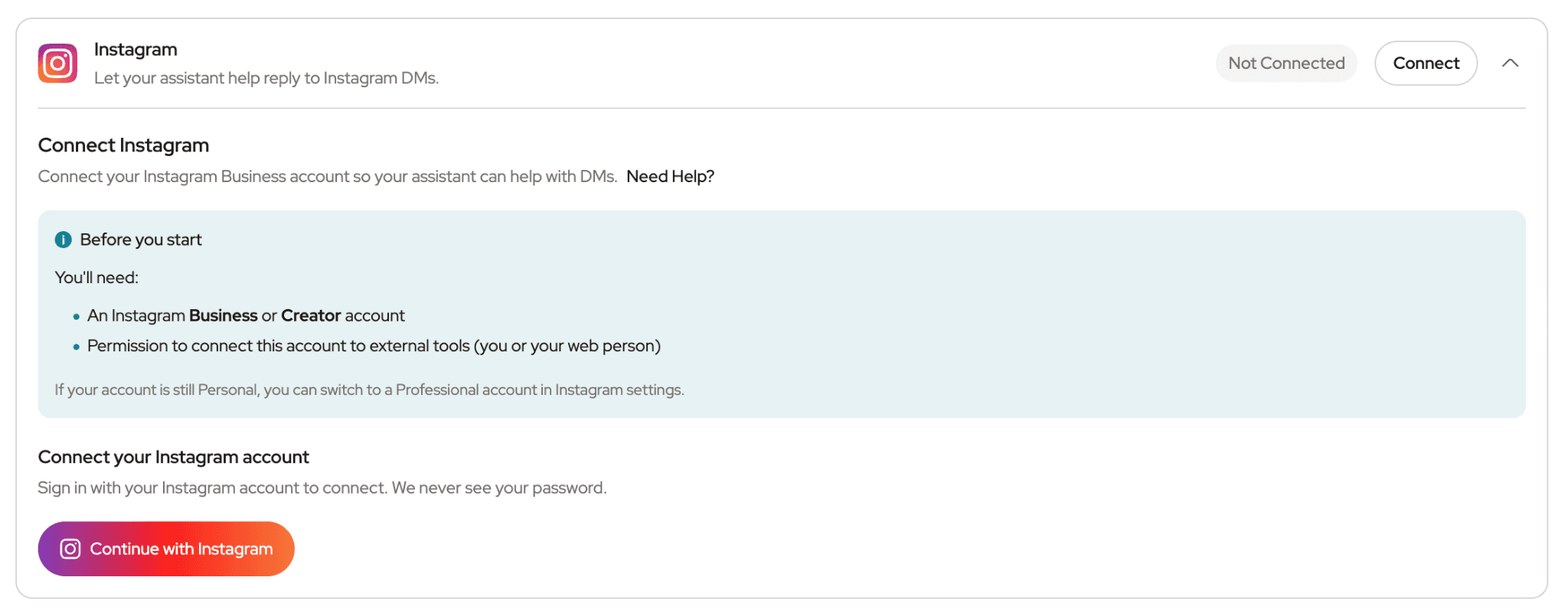
Step 1: Open My Assistant
Log in to your KaChick Dashboard and navigate to My Assistant.
Step 2: Connect Instagram
Locate the Instagram integration section and click Connect Instagram.
Step 3: Continue with Instagram
Click Continue with Instagram and log in to your Instagram account if prompted.
Approve the requested permissions to complete the connection.
Once connected, your Instagram account will be linked to your KaChick AI Assistant.
Verify Your Connections
After connecting:
Confirm Google Calendar shows as connected
Confirm Instagram shows as connected
Send a test enquiry if needed
Your integrations are now ready to use.
What Happens After You Connect?
Smarter Availability Responses
When Google Calendar is connected, your AI Assistant can help check your availability and provide more accurate information when clients ask about booking dates.
Stay Updated on Instagram Enquiries
When someone sends a message through Instagram, you'll receive an email notification so you won't miss a new enquiry.
View Conversations in One Place
Instagram conversations can also be viewed inside My Activity in your KaChick Dashboard, making it easier to track enquiries and review conversation summaries.
This helps you stay organized while spending less time switching between platforms.
Ready to Get Started?
Sign up for KaChick and create an AI Assistant trained on your photography business.
Connect your favorite tools, answer enquiries faster, check availability more efficiently, and keep track of client conversations from one dashboard.
Create your AI Assistant today. 🚀


